Your team gets a 3 a.m. alert. A critical application is down. You know it runs across hundreds of virtual machines, but you have no clear picture of what depends on what. That scenario plays out in data centers everywhere, and it costs businesses real money. According to Gartner, the average cost of IT downtime runs to $5,600 per minute.
vRealize Infrastructure Navigator (VIN) was built to stop exactly that.
What is vRealize Infrastructure Navigator?
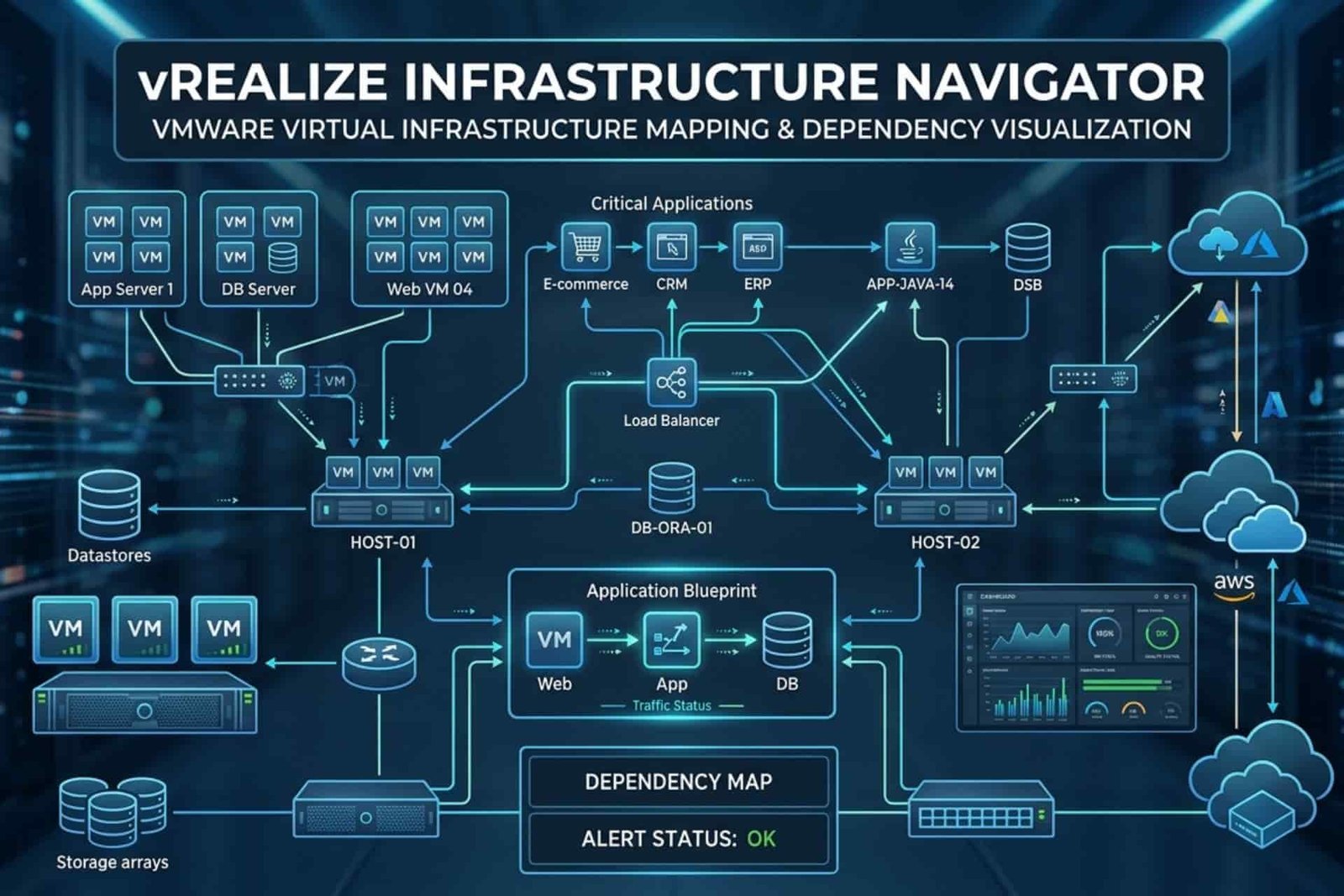
VIN is a VMware plugin that gives your IT team application-aware visibility inside virtualized environments. Rather than showing raw metrics like CPU usage or memory consumption, it maps the actual relationships between your virtual machines, applications, and services in real time.
It integrates directly with VMware vCenter Server, which means you work inside your existing VMware workflow without learning a new interface. That single detail reduces adoption friction significantly.
When 400 virtual machines run simultaneously, VIN tells you which ones talk to each other, on which ports, and why. A web server VM connects to an application server VM, which connects to a database VM. That visual map is what separates a two-hour outage from a ten-minute fix.
How VIN Works
VIN uses an agentless method to discover applications and services. It looks at network traffic and port usage to understand what is running in your environment. For example, if traffic appears on port 80 or 443, VIN identifies it as a web server. If traffic goes to port 1521, it usually indicates an Oracle database, while port 1433 points to Microsoft SQL Server.
The benefit of this approach is that you do not need to install software on every guest VM. vRealize Infrastructure Navigator (VIN) works with VMware Tools that are already available in the environment. This means no additional agents, no disruption to production workloads, and no long deployment process before you start getting useful insights.
VIN also includes an application signature library that can automatically recognize more than 200 enterprise applications. Whether your environment runs Apache Tomcat, Microsoft SQL Server, or a custom internal service, VIN can detect it and include it in the dependency map.
Key Benefits With Practical Examples
Quick Troubleshooting
When an application behaves unexpectedly, your team wastes time guessing which services are involved. VIN eliminates that guesswork. You trace issues across infrastructure and apps directly, with service ports displayed for clarity during troubleshooting.
Example
A middleware service stops responding at 2 p.m. on a Tuesday. Instead of SSH-ing into individual machines manually, your team pulls up the dependency map, sees that the middleware connects to a database cluster, confirms the connection pool hit its limit, and resolves it in minutes rather than hours.
Safer Maintenance
Before migrating, powering down, or modifying a VM, your team sees which applications and services depend on it. This prevents accidental outages and supports safer maintenance windows. Organizations using dependency mapping report over 40% fewer failed change deployments, according to VMware’s own customer data.
Example
You plan to patch a database server on Saturday. vRealize Infrastructure Navigator (VIN) shows that three business applications, including your order management system, connect to that server. You schedule notifications, coordinate with application owners, and the maintenance window runs without incident.
Smart System Recovery
Dependency information supports more accurate disaster recovery plans. Your team ensures that critical services are restored in the correct order during failover scenarios, which reduces recovery time objectives (RTO) significantly.
Example
A payment API depends on a web tier, which depends on a database, which depends on a cache layer. VIN maps that chain clearly. Your recovery runbook follows that exact sequence, so nothing comes back online in the wrong order.
Cloud Migration
As businesses move toward hybrid and multi-cloud strategies, VIN ensures migrations to AWS, Azure, or VMware Cloud environments happen without disruption. By identifying tightly coupled workloads, VIN allows you to group applications intelligently before moving them to the cloud.
Example
Your team plans to move an e-commerce platform to a cloud environment. vRealize Infrastructure Navigator identifies that the checkout service has tight dependencies on an on-premises payment gateway. You know before you migrate, not after, that these two services need a coordinated cutover.
Real-World Industry Applications
Financial Services
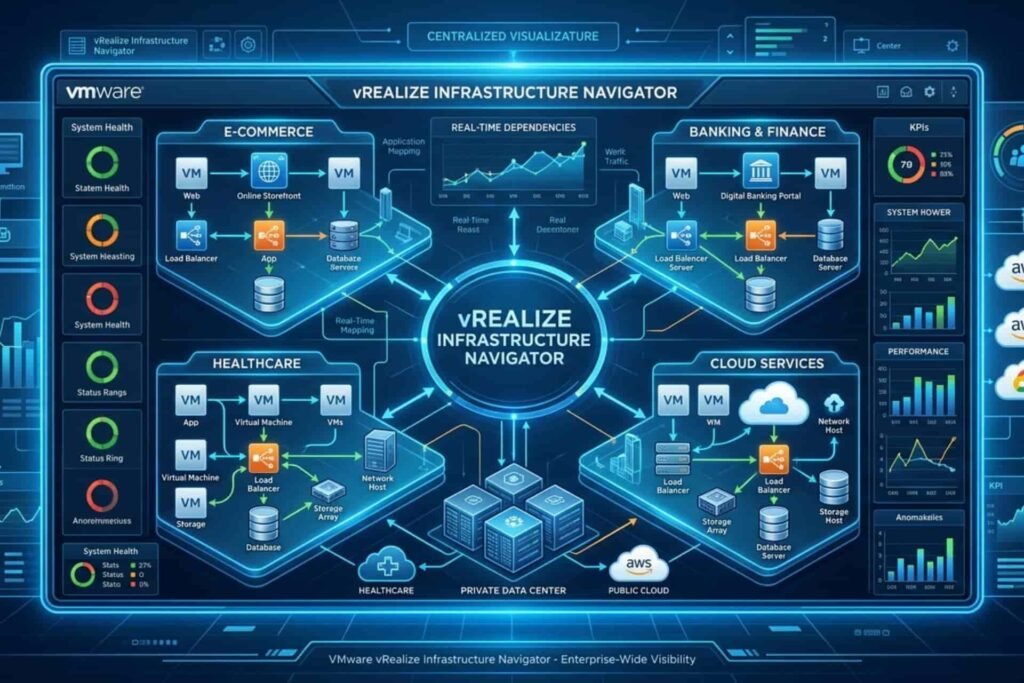
Banks and financial institutions operate transaction-heavy environments where downtime directly affects revenue. VIN provides real-time visibility into resource utilization, enabling efficient allocation of IT assets during peak transaction periods, such as end-of-quarter reporting or market volatility.
One global financial institution that deployed vRealize Infrastructure Navigator (VIN) reported significantly reduced downtime during high-volume periods and gained the capacity clarity to prevent performance bottlenecks before they affected customers.
Healthcare
In hospital environments, application availability connects directly to patient outcomes. Hospitals use VIN to monitor critical applications and infrastructure health, ensuring seamless patient care by reducing downtime and improving response times for system maintenance.
When physicians access patient records remotely over VPN, dependency maps reveal exactly which services interact with that data, giving administrators a clear picture of risk during any maintenance window.
Manufacturing
Production environments run on tight schedules where unexpected downtime carries high costs. Dependency mapping helps manufacturing IT teams identify unnecessary service connections that affect production systems, and supports the move toward containerized and microservices-based architectures.
A factory floor application going offline during peak production is never a minor event. VIN gives teams the visibility to act before failures reach the floor.
Education
Universities managing online learning platforms see sharp traffic spikes during registration periods and exam seasons. VIN gives administrators real-time insight into which services are under load, so performance issues affecting student access get resolved before they escalate.
One university IT team used vRealize Infrastructure Navigator (VIN) to identify that a single overloaded authentication service was the source of campus-wide login failures during final exam week, a fix that took 20 minutes once the dependency was visible.
How To Use VIN
Download vRealize Infrastructure Navigator
Go to VMware’s official website and get the VIN OVA file.
Think of it like downloading a program for your computer.
Deploy it in vSphere
Put the VIN inside your VMware virtual environment.
This is like installing the program on a special computer (vSphere).
Connect to vCenter
Give VIN your vCenter Server login info.
This allows VIN to see all your virtual machines.
VIN discovers everything automatically
VIN finds all your applications and shows how they depend on each other.
You don’t have to check each VM manually.
Set user roles
Decide who in your team can see or edit the maps.
For example, the infrastructure team vs the application team.
Why vRealize Infrastructure Navigator Matters
VMware has evolved its product portfolio into VMware Aria Operations, which carries forward VIN’s dependency mapping philosophy within a broader observability platform. The agentless discovery, real-time dependency maps, and change impact analysis remain among the most practical visibility capabilities in the VMware ecosystem.
Whether you work with a legacy vSphere environment or evaluate modern Aria tools, the core discipline VIN introduced stays the same: understand your application relationships before you touch anything.
Visibility is what separates a controlled change from an unexpected outage. If your team still manages infrastructure reactively, that is the first thing worth changing.
Read More : MataRecycler: How Smart Recycling Is Solving the World’s Waste Crisis